Nudges before deadlines
Reminders for training that is due soon or already overdue.
Agentic AI
Lea is the agentic AI built into Masar. An orchestrator reads each request, plans the steps and hands them to specialist agents that work from your courses, people and reports, reaching only what the person asking may reach.
What should I focus on this week?
Two things are due this week: the “Coaching for performance” lesson in Leading High-Performing Teams (you are 71% through) and the live workshop on Tuesday. After that, you are one course away from your New Manager Pathway certificate.
How Lea works
Lea is not one model trying to do everything. The orchestrator understands the request, plans the steps and hands each one to the agent built for it.
In your own words and your own language, from any page.
It works out what you need and which agents should handle it.
Each agent knows its area: learning, skills, team, reports, courses.
Agents call the platform’s own tools, never the database directly.
Every call runs with the permissions of the person who asked.
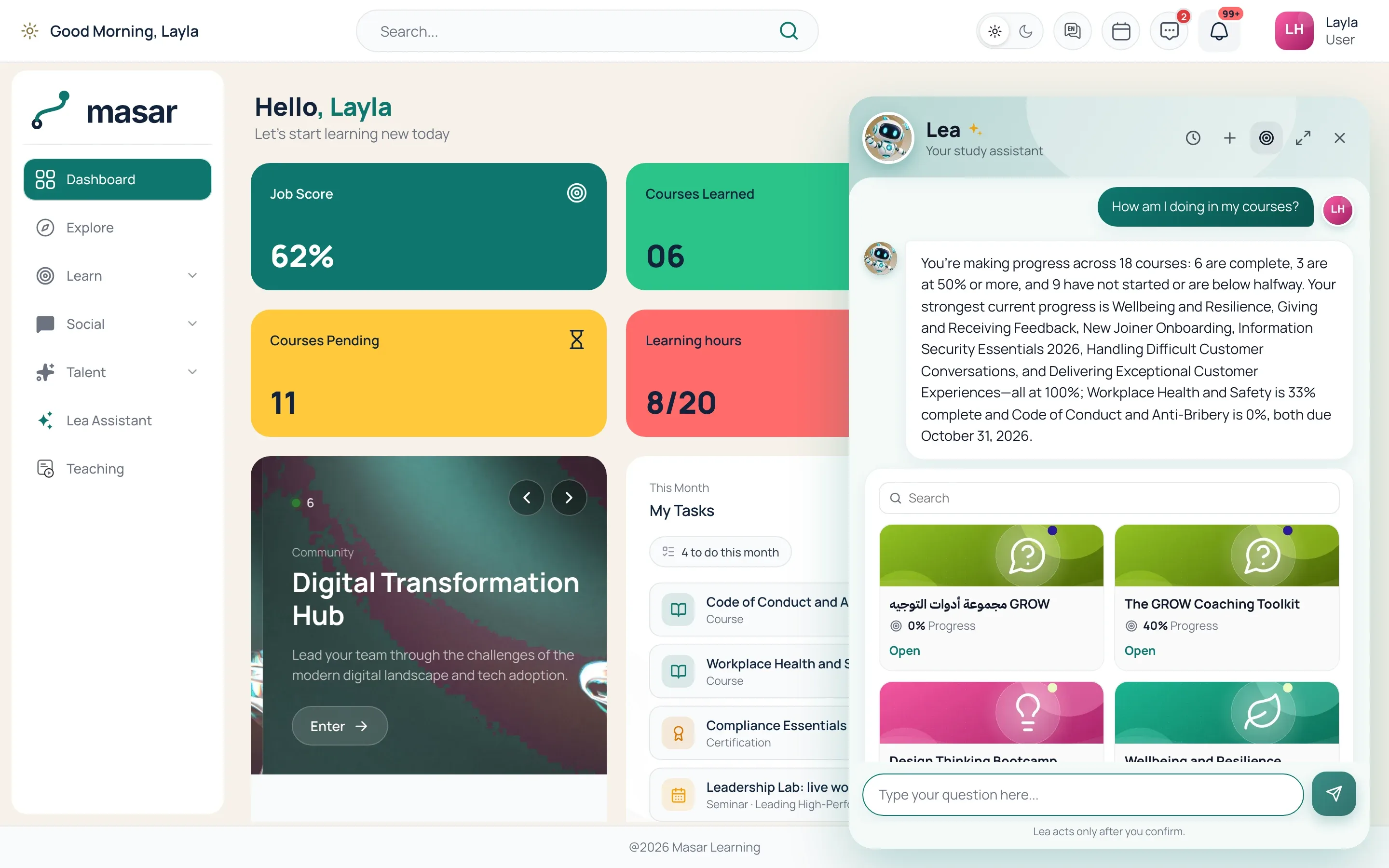
Lea answers from the course a learner is taking, explains a point another way and checks understanding. When someone wants to grow a skill, it builds a plan from real courses and follows the steps with them.
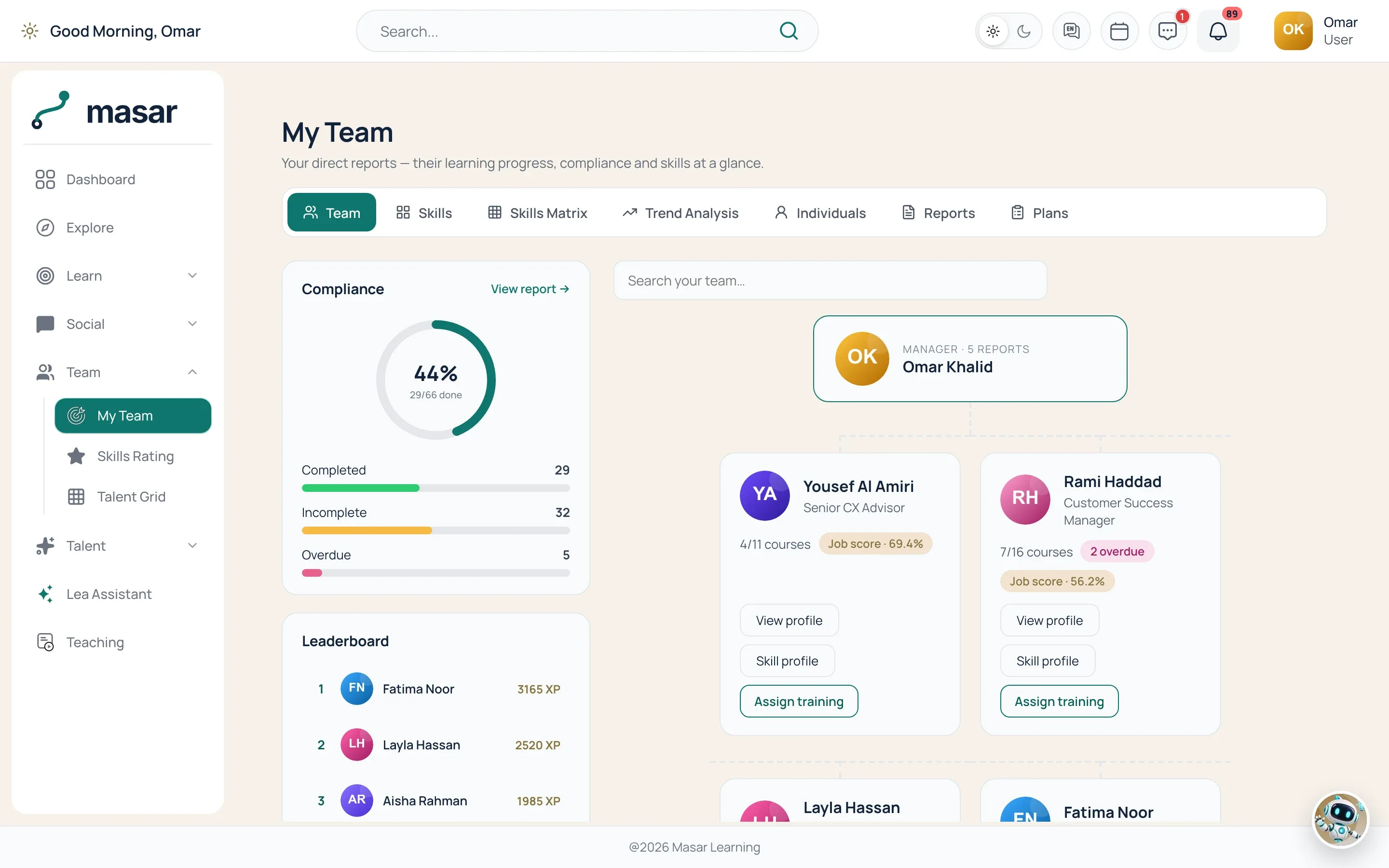
Managers ask about their people in plain words: who is overdue, how one person is doing, who is ready for more. Lea reads the same records the manager can open, nothing beyond them.
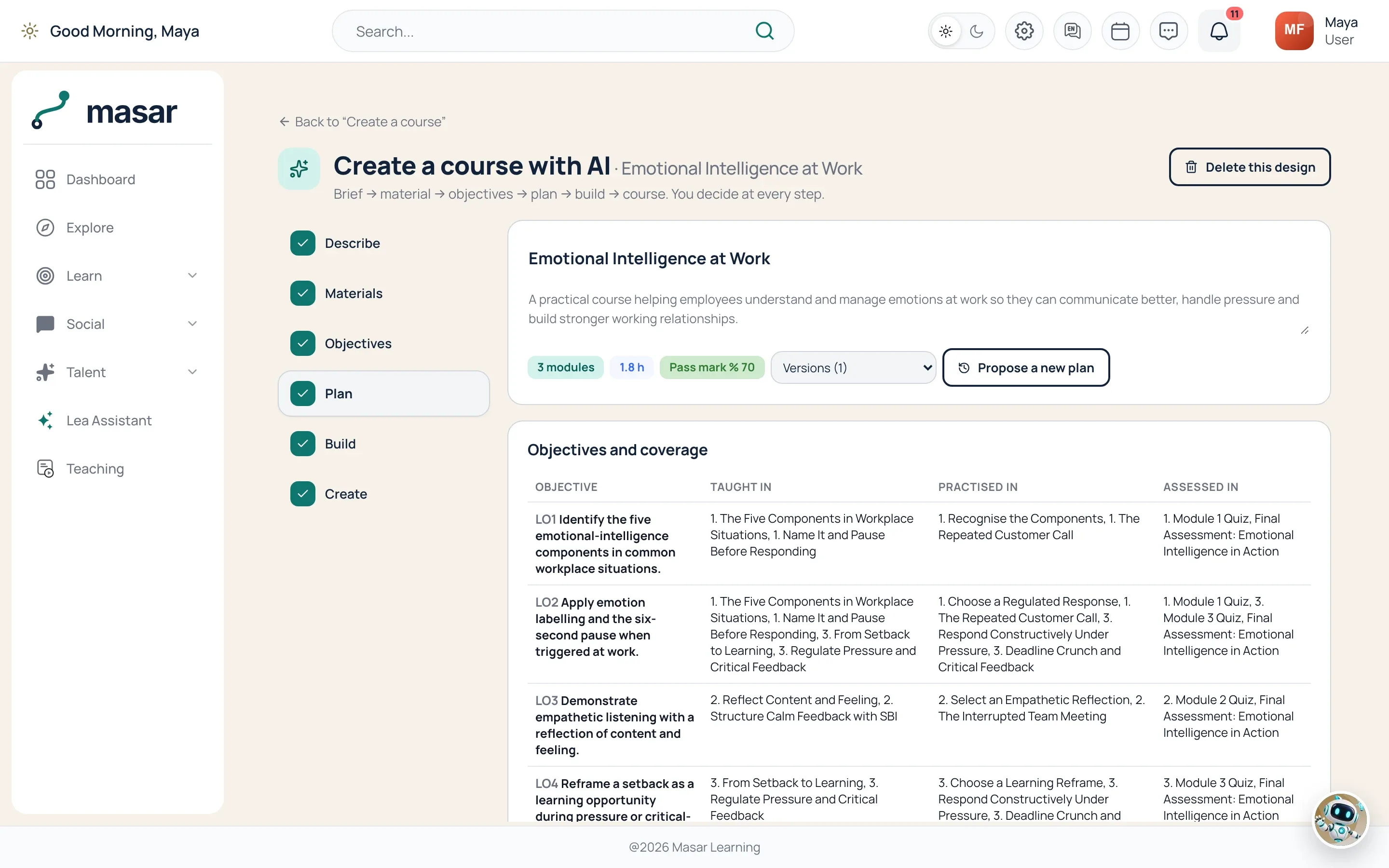
Give Lea a short brief and its course design agents draft the course: outline, lessons, tests before and after, a survey and a certificate, ready to refine in Studio. Ask for a figure and the reports agent reads the report source for you.
The agents
Every agent declares what it answers, who may use it and which tools it calls. You can switch each one on, off or to read only.
What is due, what is in progress and what to take next, for each learner.
Finds the right course, explains it and enrols the person when they tap.
Skills, career paths, goals and development plans; builds a plan from real courses for the manager to approve.
Programs and certifications: where someone stands and what is left.
Live sessions on offer, a person’s bookings, booking and cancelling.
For managers: who is behind, who is on track, one person in detail.
Reads the report sources as the person asking and answers with figures.
Summarises a document, or turns it into a course or a quiz to edit.
From a brief to a full course: objectives, lessons, tests, survey and certificate.
Briefs on a community, joining, and messages sent after the person confirms.
Beyond the chat
Lea’s automations run on a schedule, as a system account with the same rules, and reach people through their notifications.
Reminders for training that is due soon or already overdue.
Who in the team needs attention, delivered every week.
A personal nudge for learners who have gone quiet.
Lea’s tools are available over the Model Context Protocol (MCP), with each person’s permissions.
An assistant inside a people system has to be careful by design. These are the rules Lea runs on.
Every lookup runs with that person’s permissions. A learner sees their own records; a manager sees their own team.
Connect OpenAI, Azure OpenAI, Google Gemini or Anthropic Claude with your own key, or a compatible model running inside your own network.
Each ability can be switched on or off from the console.
Figures come from the platform’s own records, not from the model’s memory.
Ask in the language you work in and get the answer in the same one.
Agents propose, people confirm. Enrolments, bookings and messages run only on a tap, plans need a manager’s approval, drafted courses an editor, and every action is recorded.
No. Lea does not have access of its own. Each question is answered by reading the platform as the person who asked, with exactly their permissions.
The one you connect. Masar works with OpenAI, Azure OpenAI, Google Gemini and Anthropic Claude, using your own account with that provider.
No. The designer produces a draft. An editor reviews it, changes what needs changing in Studio and publishes it.
An agentic system. An orchestrator plans each request and specialist agents carry it out through the platform’s tools: they look things up, draft plans and courses, and, when the person taps to confirm, enrol, book or send.
Yes. Without a model, Lea still answers the common questions from the platform’s data with set phrasing. Connecting a model adds free-text understanding, planning across agents and drafting.
Yes. The assistant, and each of its abilities, can be switched on or off for your site.
A live walkthrough around your own use cases, in your language.